Start this week
Five moves that pay off before you read another word. The rest of the guide explains each one.
- 1Post prices for your five most common jobs where customers can see them.
- 2Add photos to every inspection before you call with the estimate.
- 3Get every approval in writing, even a text that says yes.
- 4Pull last year's customers who haven't been back in six months and call ten of them.
- 5Ask every customer this week for a Google review before they leave the counter.
Numbers to know
70 to 75%
A common labor gross profit target once tech pay and benefits come out.
40 to 50%
A common parts gross profit target, set with a markup matrix rather than one flat number.
5,000 to 7,500 miles
A typical oil change interval on synthetic oil, though the owner's manual always rules.
Under 2%
A comeback rate many well-run shops hold themselves to.
Part 1
Build an offer customers trust
Most drivers walk in expecting to be oversold. The shops that win make prices, findings and warranties easy to check before anyone asks.
- 01
Set your labor rate from your costs, not the shop down the street
Copying a competitor's rate copies their problems. Your rate has to cover tech pay, rent, tools, software and insurance, then leave a profit on every hour you bill.
How to do it
- 1Total a month of fixed costs and divide by the hours your techs actually bill, not the hours they're clocked in.
- 2Add tech pay per billed hour, then price to hit your labor gross profit target.
- 3Track your effective labor rate (labor dollars divided by hours billed) every month. Discounts and free diag hide here.
- 4Review the rate every year. Most shops raise it too rarely and too little.
- 02
Use a parts markup matrix
A flat markup loses money on cheap parts and scares people off expensive ones. A matrix marks a $5 bulb up more than a $900 transmission and keeps your overall parts margin where it should be.
How to do it
- 1Set tiers by cost: higher markup on small parts, lower on big-ticket ones.
- 2Check your parts gross profit monthly against your target.
- 3Quote a good, better and best option where the brand choice really matters, like brakes and tires.
- 03
Post prices for your common jobs
Oil changes, brakes, alignments, batteries and diag are the jobs people price-shop. A posted price, or a starting price with what's included, gets the call or booking that a blank page loses.
Automate it: Keep your prices in one place you can edit in seconds, or use an estimator that quotes from your numbers, so a price change never waits on a web designer.
How to do it
- 1List your top ten jobs by volume and post a price or a "from" price for each.
- 2Say what's included: parts grade, labor, disposal fees, warranty.
- 3Explain in one line when a price can change, like a seized caliper or a rotor below spec.
- 04
Show the problem with photos before you sell the fix
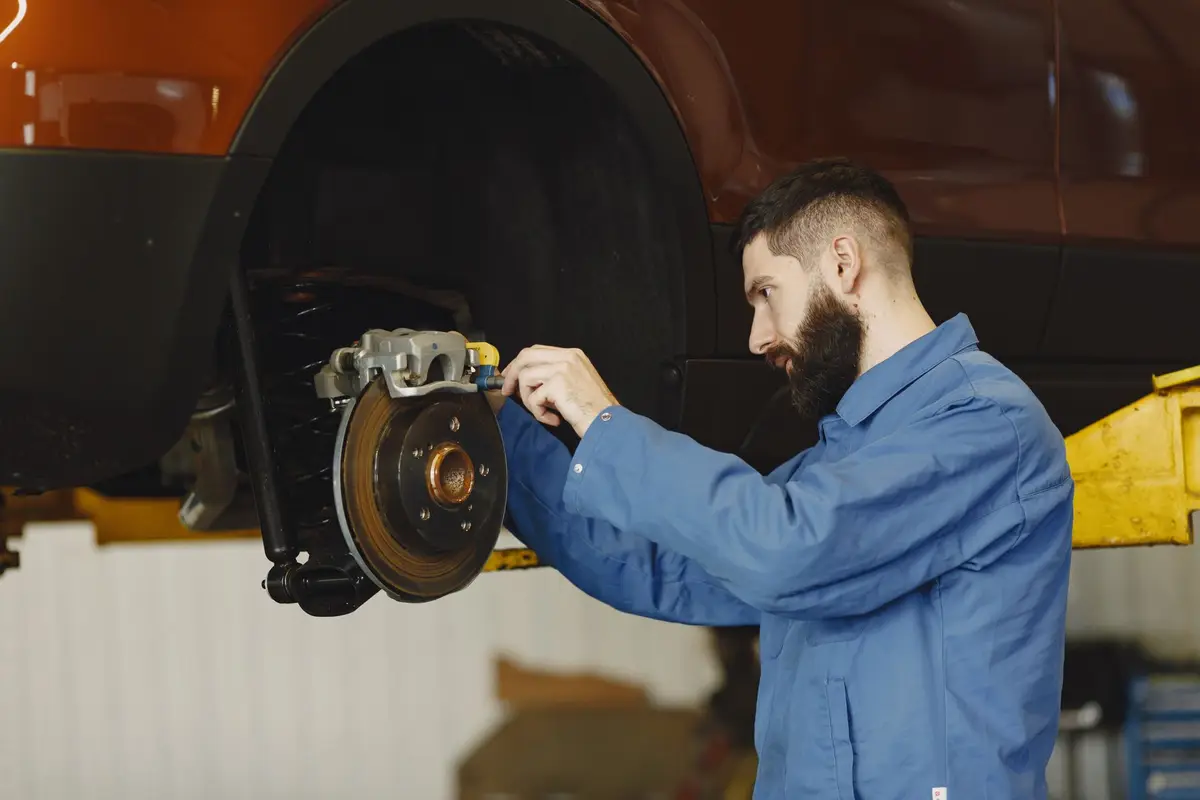
A photo of a cracked belt or a leaking strut sells the repair better than any phone call. Digital inspections build trust and raise your average repair order without pressure.
How to do it
- 1Photograph every item you recommend, with a fingertip or tape measure for scale.
- 2Sort findings into safety now, soon, and watch.
- 3Send the photos with the estimate so the customer sees what the tech saw.
- 4Note the "watch" items on the customer's record so you can bring them up next visit.
Part 2
Get found by drivers nearby
Most people find a shop when something is already wrong: a light on the dash, a noise, a failed inspection. They search, compare two or three shops, and call the one that looks easiest.
- 05
Make your website the place people book, not just a phone number
A driver searching at 10 PM won't call. If they can pick the job and a drop-off time, they book you instead of waiting for someone else's counter to open.
Automate it: Use a site with online booking, posted prices and an FAQ built in, so a late-night search ends in a booking instead of a voicemail. Runza builds one from a short description of your business, on your own domain.
How to do it
- 1Put booking at the top of the page, above the history of the shop.
- 2Show your hours, the makes you work on and whether you have loaners or a shuttle.
- 3Use your shop name as your domain and put it on your sign, invoices and receipts.
- 06
Keep your Google Business Profile complete and current
For local repair, the map listing is often the first thing a driver sees. Accurate hours, real photos and steady reviews decide who gets the click.
How to do it
- 1Fill in every service, your hours, holiday hours and the makes you specialize in.
- 2Add real photos of the shop, the bays and the team every month.
- 3Ask for a review at the counter when the customer is happy, and reply to every review, good or bad.
- 4Link the profile's booking button straight to your site.
- 07
Answer the counter's ten questions once
Warranty, which makes you work on, OEM or aftermarket parts, loaners, shuttles, how long diag takes and how to pay make up most phone calls. Answer them on your site and the phone rings for real jobs.
Automate it: Publish the answers as an FAQ on your site and link it in your bio, voicemail greeting and booking confirmations, so people find the answer before they call.
How to do it
- 1Have whoever runs the counter list the questions they answer every day.
- 2Answer each one in two or three sentences, the way your best service writer says it.
- 3Be specific about warranty: months, miles and what it covers.
- 08
Run monthly specials that fill slow days
A good special fills an empty Tuesday with a job that leads to more work: an alignment check, a cooling system service before summer, a battery test before winter. It isn't about being cheap.
Automate it: Keep specials in one spot on your site with an end date, and swap them on the first of each month, so nobody brings in an expired coupon.
How to do it
- 1Pick specials that put the car on a lift, so your techs can inspect it.
- 2Match them to the season: AC in spring, batteries and wipers in fall.
- 3Give each one an end date so it creates urgency.
- 09
Show the shop floor
People trust a shop they've seen. Short videos of a clean bay, a tech explaining a worn part, or a before and after on a restoration do more than any ad.
Automate it: Cut each raw video into a short, captioned clip for social instead of editing by hand. Ten minutes of footage a week covers a month of posts.
How to do it
- 1Film 20 to 30 seconds when something interesting comes in: a rare car, a nasty failure, a clean finish.
- 2Let a tech explain one thing in plain words. Customers love the honesty.
- 3End with one line: how to book.
See it set up for your business, free
A mockup of your website and the back office behind it. No account needed.
Part 3
Book, approve and get paid cleanly
Lost time at the counter and fuzzy approvals are where shops leak the most money. Clean intake and written approvals fix both.
- 10
Book with the car and the problem up front
Knowing the year, make, model and symptom before the car arrives lets you order parts, plan the bay and quote a realistic time. Walk-ins with no notes slow down the whole day.
Automate it: Let customers book online with year, make, model and the symptom as required fields, so every booking lands on the calendar with what you need to plan the bay.
How to do it
- 1Ask for year, make, model and mileage on every booking.
- 2Ask what the car is doing in the customer's words: when, how often, what it sounds like.
- 3Set drop-off windows that match your bay capacity, not every 15 minutes.
- 11
Get every approval in writing before the work starts
"You never told me it would cost that" is the most expensive sentence in the business. A written yes, even a text, settles it before it starts, and many states require written authorization above a set amount.
How to do it+ a message to send
- 1Check your state's rules on written estimates and authorization.
- 2Send the estimate with photos, the total and the warranty.
- 3Don't start until you have a yes in writing, and save it on the repair order.
Estimate text with photos Hi [Name], this is [You] at [Shop]. Your [Car] is inspected. The [item] needs replacing now (photo attached), and the total is [$amount] including parts, labor and our [warranty] warranty. We noted [watch item] to keep an eye on, no rush. Reply YES to approve and it'll be ready by [time].
- 12
Let customers check on their car themselves
"Is my car ready?" calls eat hours of counter time a week. A status the customer can check means fewer interruptions and a customer who feels looked after.
Automate it: Give each repair a number and a status page customers can check, and point to it at drop-off. Most "is it ready?" calls go away.
How to do it
- 1Give every repair a number at drop-off.
- 2Update the status at each stage: inspecting, waiting on approval, waiting on parts, in progress, ready.
- 3Tell the customer at drop-off where to check, so they don't call.
- 13
Take payment by card, from a text or at the counter
Customers who can pay before they arrive get out faster, and your counter line moves. Faster pickup means the bay and the lot clear sooner.
Automate it: Send a payment link with the "your car is ready" message, so the customer pays before they arrive and pickup takes a minute.
How to do it
- 1Send the payment link with the "your car is ready" message.
- 2Print the warranty terms on every invoice.
- 3Walk the customer through the invoice for anything over a few hundred dollars.
Part 4
Follow up so every car comes back
Car count drives a shop. Winning a new customer costs far more than bringing back one who already trusts you, and most customers simply forget when they're due.
- 14
Send service reminders by time and mileage
Oil changes, tire rotations, brake fluid, timing belts and inspections all come due on a schedule. The shop that reminds first gets the visit.
Automate it: Send reminders automatically when each car comes due, based on its last visit, so nobody at the counter has to remember.
How to do it+ a message to send
- 1Record mileage and the next due service on every invoice and window sticker.
- 2Remind a week or two before the due date, and again if they haven't booked.
- 3Bring up the "watch" items from last visit in the reminder.
Service reminder Hi [Name], your [Car] is due for [service] around now. Last time we also noted [watch item], so we'll take a look while it's in. Book a time that works here: [link]
- 15
Call three days after any big repair
A quick check-in after a major job catches problems while they're small and turns a nervous customer into a loyal one. It's also the best time to ask for a review.
How to do it+ a message to send
- 1Call or text after any repair over a set amount, or any diag job.
- 2Ask if the car is running right and if anything feels off.
- 3If they're happy, ask for a review with a direct link.
Three-day check-in Hi [Name], it's [You] from [Shop]. Checking in on your [Car] after the [repair]. How's it running? If anything feels off, bring it right back. If you're happy with it, a quick review helps us a lot: [link]
- 16
Know who's overdue and go get them
A customer who hasn't been in for a year is going somewhere else, or nowhere. A short list of lapsed customers is the cheapest marketing a shop has.
Automate it: Let every booking add the customer and their car to one list automatically, then sort it by last visit once a month.
How to do it
- 1Pull everyone with no visit in nine to twelve months.
- 2Call the best ones personally. Send the rest a this-month special.
- 3Ask the ones who left why. The answer is worth hearing.
See these steps running
Walk through the back office of Redline Auto Repair, a sample business: the schedule, follow-ups, invoices and site. Made-up data, no sign-up.
Part 5
Grow without adding bays
Most shops can grow a lot before they need more space. The money is in bay utilization, average repair order and the accounts that send cars every week.
- 17
Watch car count, average repair order and effective labor rate every week
These three numbers tell you almost everything. Car count shows whether marketing works, average repair order shows whether inspections and estimates are working, and effective labor rate shows whether discounts are eating the profit.
How to do it
- 1Write all three on a whiteboard every Monday.
- 2If car count is down, look at reminders and specials. If ARO is down, look at inspections.
- 3Compare techs' billed hours to clocked hours to see real productivity.
- 18
Win fleet and local business accounts
A landscaper with eight trucks or a property manager with a few vans sends steady work on a schedule. One good fleet account can fill a bay every week.
How to do it
- 1List local businesses that run vehicles: contractors, delivery, rental, dealers without a service department.
- 2Offer scheduled maintenance, priority bay time and monthly invoicing.
- 3Keep the vehicles' records ready for them at every visit.
- 19
Pick three moves every week
The best owners decide what to push next from what the numbers say, not from a hunch. Three moves a week, actually done, beat a long list nobody touches.
Automate it: A weekly review that reads your bookings and customer list can suggest the three moves for you, like overdue customers to call or a special for a slow week.
How to do it
- 1Look at last week's car count, average repair order and open estimates.
- 2Pick the three things most likely to move them: a special, a call list of overdue customers, an estimate to chase.
- 3Check next Monday whether they worked.
- 20
Give every person their own login
When one person holds every password, the shop stops when they're out. Separate logins let the service writer and techs do their part without sharing yours.
Automate it: Add each person as a teammate on your booking and customer tools instead of sharing the owner's login, and remove access the day someone leaves.
The short version
Price from your real costs, show the problem with photos, get every yes in writing and remind every car when it's due. Do that and the bays stay full without discounting.